Subscribing to Neopets Premium
Neopets Premium is a paid membership plan on Neopets. There are two recurring membership lengths- one month or one year. Premium has recently been upgraded and renovated, and many things have changed to reflect the needs, conveniences, and desires of paying Premium members.
How to Sign Up
In order to sign up for a Premium membership, please click here. You will be prompted to follow a series of steps to activate your Premium membership.Payment and Billing for Premium
When you first sign up for Premium, you will be asked to select a membership plan (one month or one year). Payment information is automatically posted in U.S. currency (dollars, $). If you are outside the U.S., the conversion during payment is done automatically according to the current exchange rate.
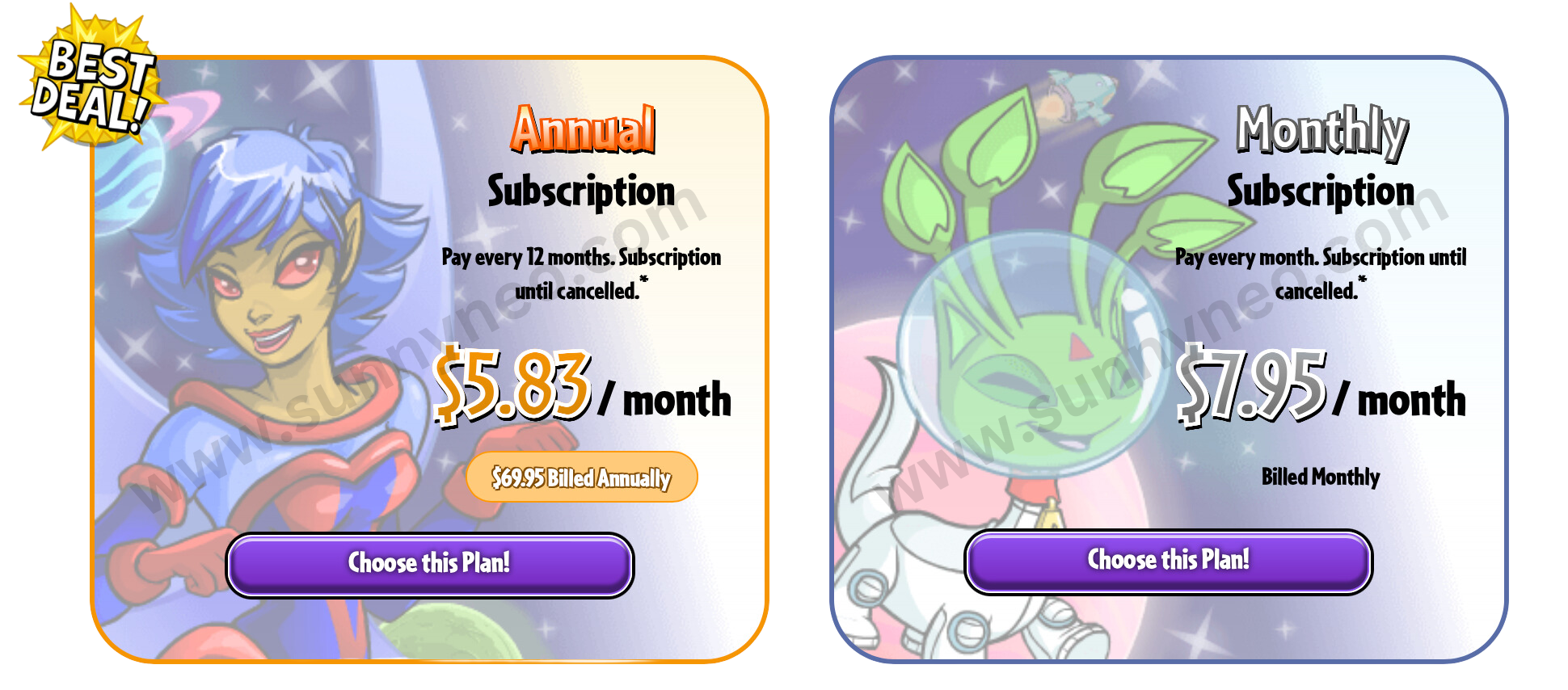
Once you select a payment plan, you will then be prompted to login using your Neopets account information, or NeoPass. At this point, you will be asked to fill in your payment information; you can pay for Premium membership using either a credit card or a Paypal account. Once your information has been filed, you will automatically be billed either once a month or every year (depending on your membership plan).
Credit Card
You can use any of the following credit cards: Mastercard, Visa, American Express or Discover. You can also use debit cards from the same companies.
If you choose to pay using this method, you will be prompted to enter your credit card information (including number, name and billing address). Payments will be taken directly from your bank account upon each recurring payment date.
Paypal
Paypal is an online payment system to pay for articles or services online. You can use paypal as a service between your bank account and the receiving person, or between your credit card and the receiving person. This increases the safety of the transfer, because the receiving person does not get to see your bank account or credit card number. This is why this option is recommended for safety reasons.
How does it work? You can only pay for Neopets through paypal if your account is verified. After you have signed up for paypal, your account has not yet been verified. You can verify it either by adding credit card information to your account, or by linking paypal to your bank account. The latter goes as follows. Paypal will send you two small amounts of money (under 10 cents mostly) to your bank account, this will take about a day (on the site it says 5-6 days, ignore that, check your bank account the next day. If the two small amounts of money have arrived then you will need to enter these two numbers into the verification process on paypal. After you've done this your account is verified and ready for the payment of premium.
Activating Premium
Please note that after you have signed up, it can take up to one day (24 hours) for your Premium membership to be activated (although it will typically occur within a few hours). This is necessary to ensure that your Paypal account has been verified or that your bank account will be able to provide the funds necessary for Premium membership. The first indication that your Premium membership has been activated will be the appearance of the Premium toolbar (at the bottom of your screen) and the absence of advertisements.Managing the Membership
Once you become a Premium member, you can manage your membership by clicking here. You will be asked to login using your account username or NeoPass. Once you do, you will see something similar to the following: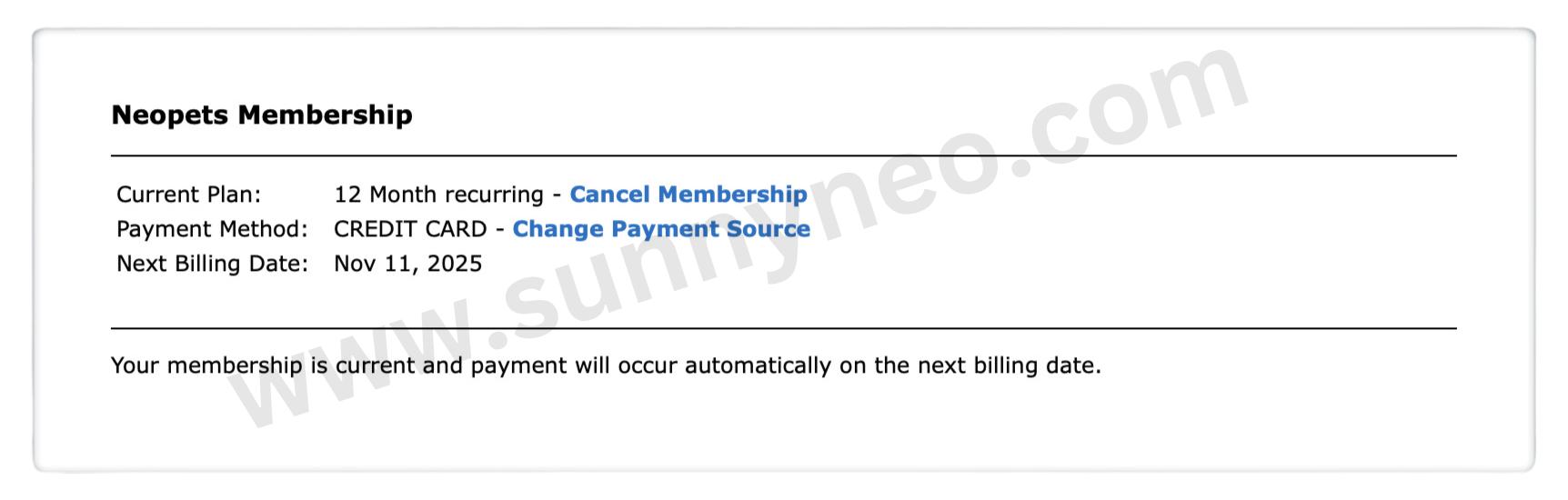
Current Plan
The membership plan you currently have, with an option to cancel membership. If you have the one-month membership, and have not previously selected to upgrade, there will also be a link to upgrade your membership plan, too.
Payment Method
The current method you are using for payment for Premium membership (credit card/Paypal), with an option to alter your payment source.
Next Billing Date
The date on which you will receive your next recurring bill for payment; this is indicative of the date on which you first purchased Premium and varies from person to person.
Upgrading/Downgrading Membership
If you decide to try Premium membership for one month without committing to an entire year, and you find that you enjoy it enough to upgrade to a longer payment plan, you will be able to do so on this page. Next to your "Current Plan," there will be an option to upgrade your membership. Your membership plan will be upgraded at the start of your next billing cycle. Therefore, if you purchased one month of membership on the 23rd of the month and decided to upgrade to a one-year plan on the 26th, you would be charged on the 23rd of the following month, after your first month has been completed.In the past, there was a four-month subscription that would allow for easy access to upgrading or downgrading. At this moment, there's no option of downgrading other than switching your Premium plan from a one-year subscription to a monthly one once the year is up.
Cancelling Membership
As you can see on the membership management page (pictured above), there will be a link at all times to cancel membership, should you choose to do so. If you find that you no longer have the funds to support the membership or the time to continue playing Neopets, it is easy and convenient to cancel membership. Once you have decided to cancel your membership, you will be asked to fill out a bried survery about why you have decided to cancel your membership. upon submitting the survey, your membership will be cancelled.If you change your mind and decide that you would still like to have Premium membership, you will have the option of reactivating it at any point before your current membership plan expires. Your membership will not immediately end; rather, it will continue thorugh the end of your current billing cycle, at which point it will expire. Therefore, if you purchase a one-year membership plan in February and cancel it in March, you will still have Premium membership until February of the following year-- you will simply not be charged at the next billing cycle.
When your membership expires, you will lose all of the Premium perks that you obtained such as extra pet slots. More information on how perks are affected by cancelling your membership can be seen under each of the perks listed on this guide.

 {{ loadingMessage || 'Loading, one moment please'}}